Darkcomet Out of Lan
Hie
Today we will talk about R.A.T windows PC using NGROK
============================================
Dedicated to my indian friends
Hacking windows PC
Many friends has requested me to make this tutorial :) so today we are here ..
Most welcome to Hexking, jama7 , R00t Destroyer , gaurav , Red Hex , Dreagon Dreagon , vampire kid and all the supporters of lulzsec india
Lets start ...
===========================================
For this you need
1) Ngrok (for forwading)
2) DarkComet (RAT)
3) Victim ( in india we call it as bakra )
4) Brain.exe
---------------------------------------------------------------------------
So for this Tutorial we are using DarkCometRAT531 Original
you can download it from google no link will b provided
Now we need to run ngrok ( IF YOU DON'T KNOW ABOUT NGROK GO TO MY BLOG AND SEE THE FIRST POST )
shown in below images :
NGROK

you need to open DarkComet
there you will find Socket/NET it will b in last tab

then click on add port to listen
You need to give local host port in my case it was ngrok tcp 1337
so we need to enter 1337 in listening

After that Refresh port
This setup is over here
we need to build the exe file
which we are going to send it to our victim 😁
Lets proceed further :)
Click on Full editor

Then on Network setting you can see in below image :

Here we need to change IP/DNS and PORT ( 0.tcp.ngrok.io : 10444)
in my case i will enter here my ngrok (IP or DNS) and Port
see in below image:

After adding
We need to go for Stub Finalization
You can use any compress Executable pack
i am using UPX
then Build The Stub
(IF YOU WANNA DO ANY MODIFICATION YOU CAN DO THIS IS JUST FOR DEMO ONLY )

* NOW YOU HAVE TO USE YOUR BRAIN.EXE TO SEND THIS RAT TO YOUR VICTIM *
here is my RAT

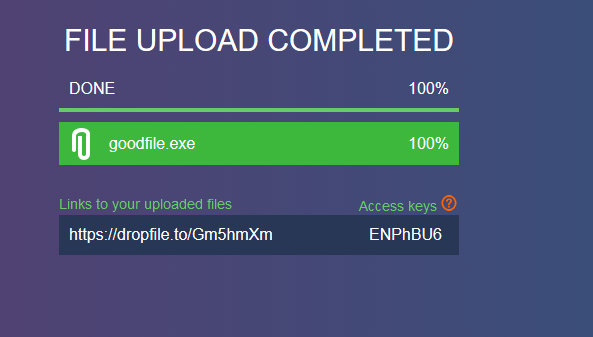
upload it and send it to your victim
here i am sending to my friend
so i am uploading it here
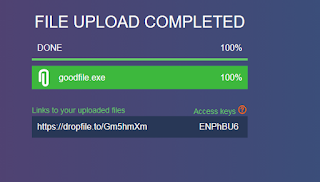
I have sent it to my Friend
on facebook ( Thanks to being my Victim )

Then This Happen :)
RAT working out of the LAN now u can enjoy using this :)

=======================================================
Popular posts from this blog
Server Rooting with Ngrok 2017

Hie
very welcome to Lulzsec blog
Today we will talk about ROOTING of server using NGROK
============================================
Dedicated to my indian friends who has problem with rooting the server
Many friends has requested me to make this tutorial :) so today we are here ..
Most welcome to Hexking, jama7 , R00t Destroyer , gaurav , Red Hex , Dreagon , vampire kid and all the supporters of lulzsec india
Lets start ...
===========================================
* SEE MY LAST POST ABOUT NGROK THEN CONTINUE WITH THIS POST *
Link here ..
For that few things are required
______________________
| 1) Ngrok |
| 2) Netcat |
| 3) webshell on server |
| 4) Root exploit |
---------------------------------
We can use any shell , if you dont have one download it from Github ,
I suggest you to download WSO shell ( https://github.com/wso-shell/WSO/blob/master/WSO.php )
if you want our private shell
the link will p…
Backconnect without port forwading using ngrok




Hie..
very welcome to Lulzsec blog
Today we will talk about back connect using ngrok
++++++++++++++++++++++++++++++++++++++++++++++++++++++++++++++++++++++
Dedicated to my indian friends who has problem with there back connect to the server
all port forwarding solution is ngrok
Many friends has requested me to make this tutorial :) so today we are here ..
Most welcome to Hexking, jama7 , R00t Destroyer , gaurav , Red Hex , Dreagon and all the supporters of lulzsec india
Lets start ...
_________________________________________________________________________________
First of all you need to register on the site ( https://dashboard.ngrok.com/user/login ) using Gmail or github account it is very easy ... 😄
Then after that go to the main page you can download the tool according to your system requirement
( https://ngrok.com/download )
save it any where as my is on my desktop using windows 😉.
After that u need to download netcat easy tool search it on google or just click Here on thi…
For any help
ping me on Whatsapp +639380509517
Comments
Post a Comment